How To Swap Crypto to Naira on Obiex
Step 1: Log In or Create Your Obiex Account
Open the Obiex app and sign in with your email and password or use the social sign-in option.
- If you are new to Obiex, create an account here with your email address and complete your account setup.
Step 2: Go to the Swap Feature
Once you’re logged in:
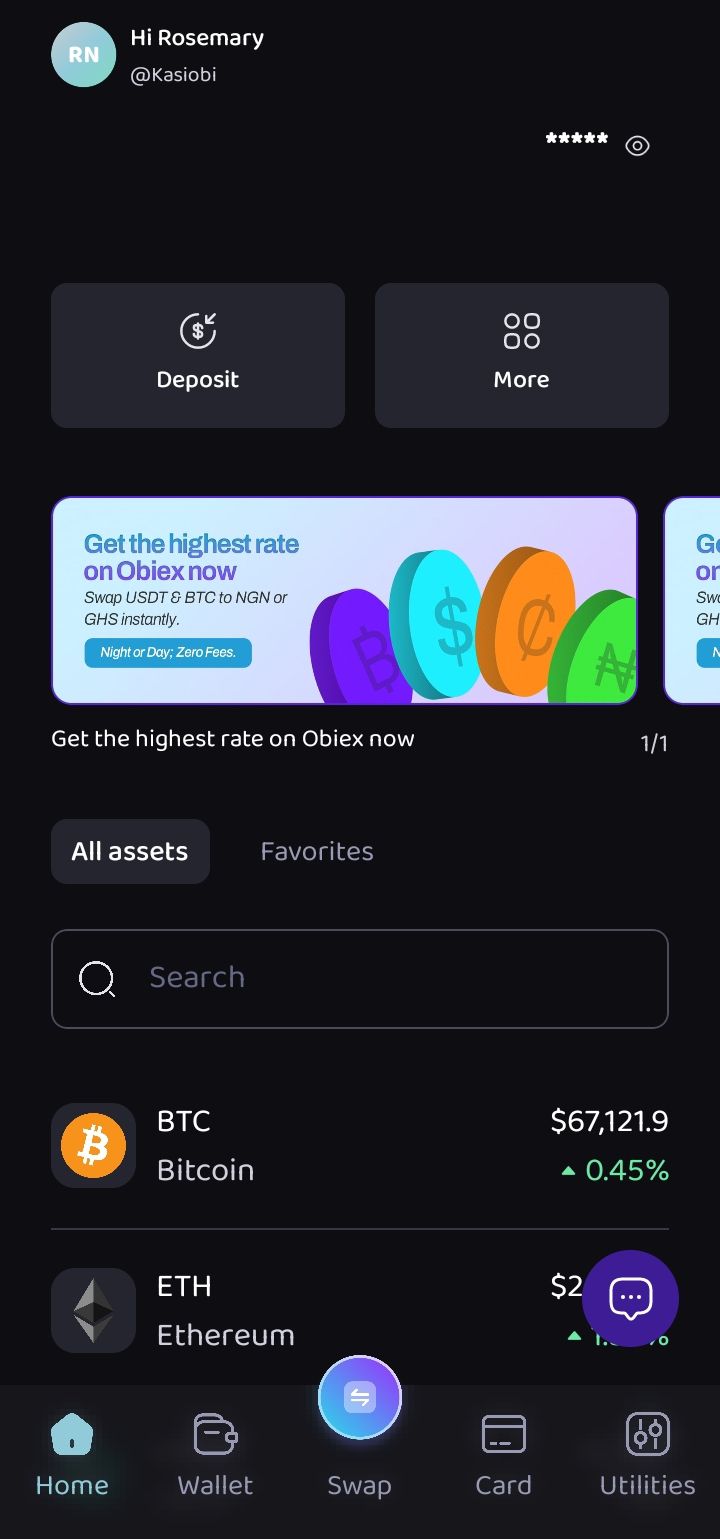
- Look at the homepage
- Find the Swap icon at the middle-bottom of the screen
- Tap on it
This is where all your conversions happen.
Step 3: Choose the Crypto You Want to Convert
Now you need to select what you’re swapping from.
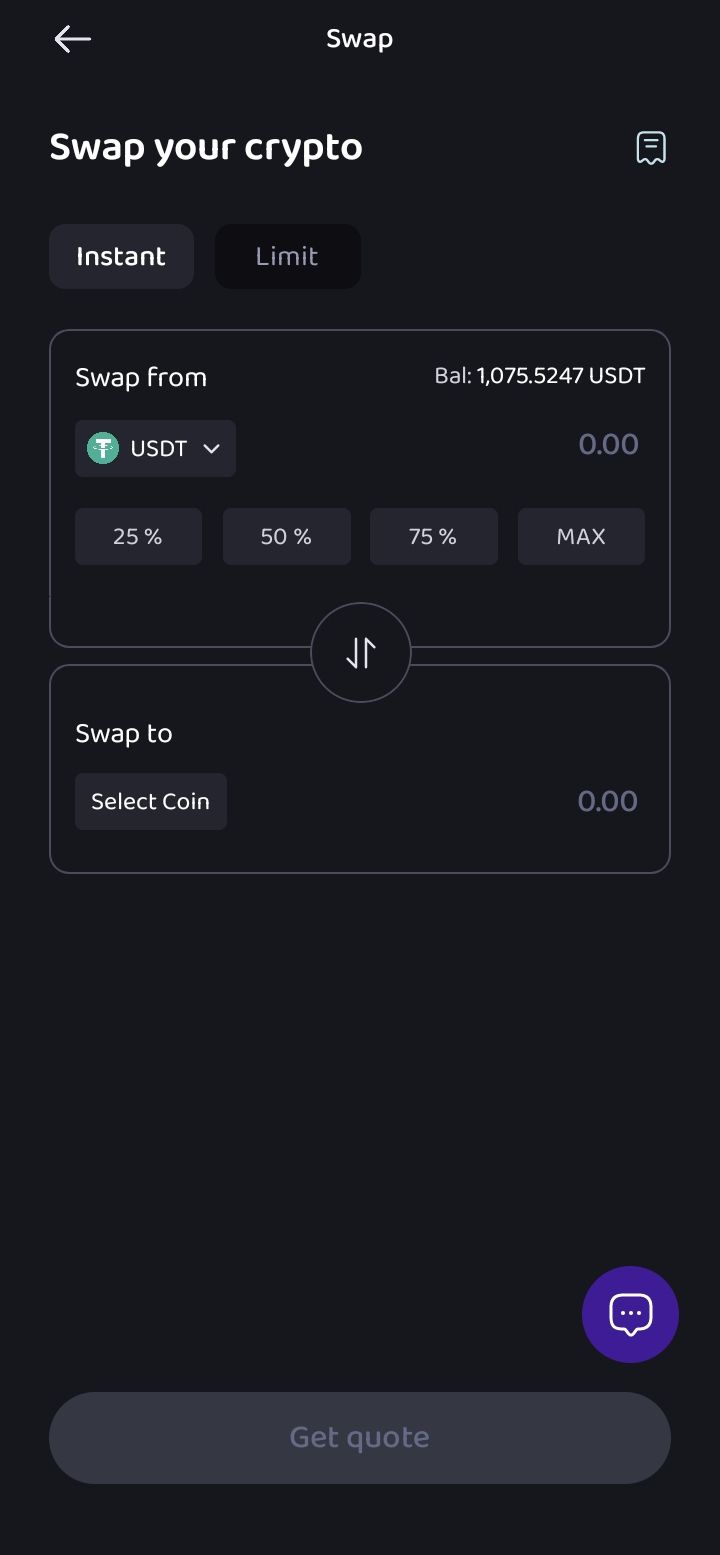
- Pick the cryptocurrency you want to convert (e.g., BTC, ETH, USDT)
- This should be the crypto already available in your wallet
Step 4: Enter the Amount
Next:
- Input the amount of crypto you want to swap
- You can type it manually or select from the percentage options on your available balance
Step 5: Select NGNX (Naira) as What You’re Swapping To
Now choose what you want to receive.
- In the “Swap To” section, select NGNX
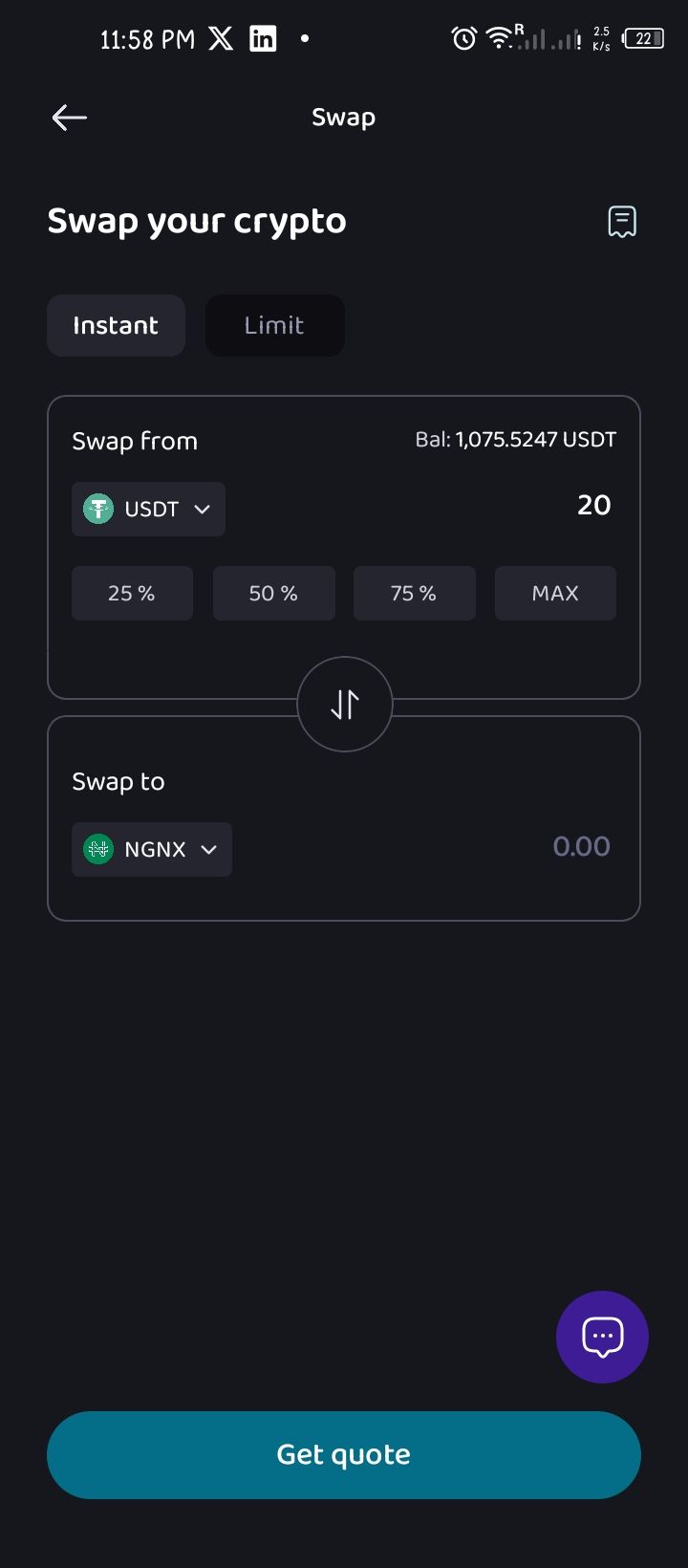
NGNX represents your Naira balance on Obiex. So when the swap is complete, your money will show up as NGNX in your wallet.
Step 6: Click “Get Quote” to Preview Your Rate
This is one of the most important steps.
- Tap Get Quote
- The app will show you:
- The exchange rate
- How much NGNX you will receive
- Any fees already included
Note: Crypto prices change quickly. So the quote you see is only valid for a short time.
Step 7: Review and Confirm the Swap
Take a few seconds and double-check everything:
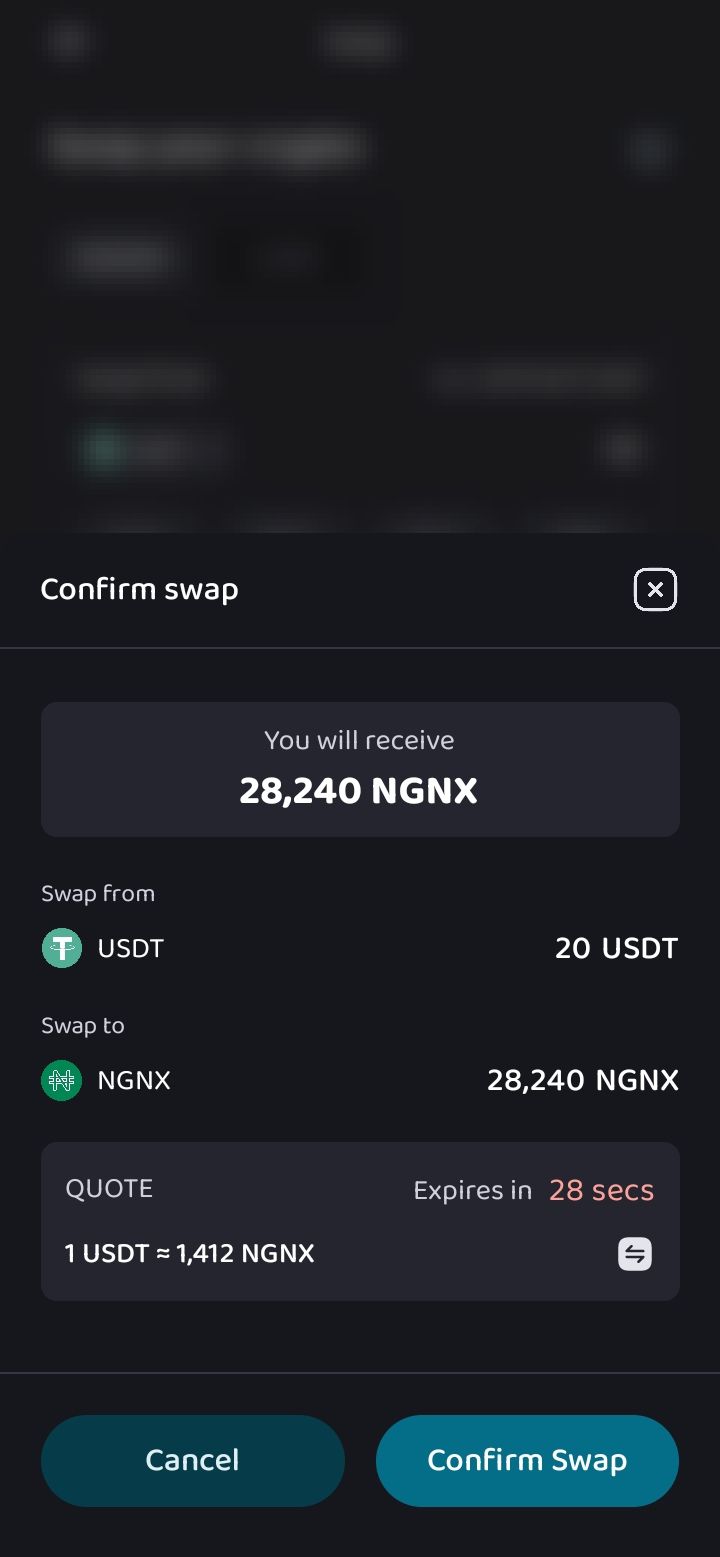
- Are you swapping the correct crypto?
- Is the amount correct?
- Are you okay with the rate shown?
If everything looks good:
- Click Confirm Swap
Once you confirm, the transaction will be processed immediately.
Step 8: Receive Your Funds Instantly
After confirming:
- Your NGNX balance will be updated automatically
- The funds will be deposited into your NGNX wallet
You will then see options to:
- Click Go to Wallet to view your balance
- Or click Swap Again if you want to make another transaction
After your crypto has been converted to NGNX:
- You can keep it in your wallet
- Swap it again into another crypto
- Or withdraw it as Naira to your bank account
How To Swap Naira to Crypto on Obiex
Step 1: Click the Swap Icon
- Tap the Swap icon on the homepage
Step 2: Choose Naira as Your Source
- Select Naira (NGNX) as the currency you want to swap from
Tip: Ensure you have enough NGNX in your wallet before starting the swap.
Step 3: Enter the Amount of Naira
- Input the amount of Naira you want to convert
- You can type the amount manually or select from your available balance
Step 4: Select the Crypto You Want to Receive
Now choose what you are swapping to.
- Select the cryptocurrency you want (e.g., BTC, ETH, USDT)
Step 5: Click “Get Quote” to Preview the Rate
This step helps you see exactly what you’re getting.
- Tap Get Quote
- You will see:
- The current exchange rate
- The amount of crypto you will receive
- Any fees already included
Important: Remember that rates can change quickly, so review this carefully yet quickly.
Step 6: Review and Confirm the Swap
Before you proceed:
- Double-check the amount
- Confirm the crypto you selected
- Make sure you’re satisfied with the rate
If everything looks good:
- Click Confirm Swap
Once confirmed, the transaction will be processed immediately.
Step 7: Receive Your Crypto in Your Wallet
After the swap is completed:
- Your crypto will be deposited into your crypto wallet instantly
You can then:
- Click Go to Wallet to view your balance
- Or tap Swap Again if you want to make another transaction
Are you ready to start swapping your crypto on Obiex?
👉 Log in to your Obiex account today to swap in a few simple steps.
Frequently Asked Questions (FAQs)
2. What is NGNX used for?
NGNX represents your Naira balance on Obiex and is used for transactions and withdrawals.
3. How long does a swap take?
Most swaps are completed instantly or within a few seconds.
4. Can I cancel a swap after confirming?
No. Once you confirm a swap, it cannot be reversed.
5. Are there fees for swapping?
Yes, but they are included in the quoted rate you see before confirming.
6. Why does my quote change?
Crypto prices change constantly, so your rate may update if you delay.
7. What happens if my transaction fails?
Your funds will remain in your wallet. You can try again or contact support.
8. Can I withdraw NGNX to my bank account?
Yes. NGNX can be converted to Naira and withdrawn to your bank account.
9. Do I need verification to swap?
Yes. You must complete basic profile verification on your account before swapping. However, you do not need verification processes like 2FA or passcodes to complete a swap on the app.
10. Is Obiex V4 safe to use?
Yes. Obiex V4 includes security features to protect your funds and transactions.
Disclaimer: This article was written to provide guidance and understanding. It is not an exhaustive article and should not be taken as financial advice. Obiex will not be held liable for your investment decisions.